Browse and manage the product and materials catalogue
What this does
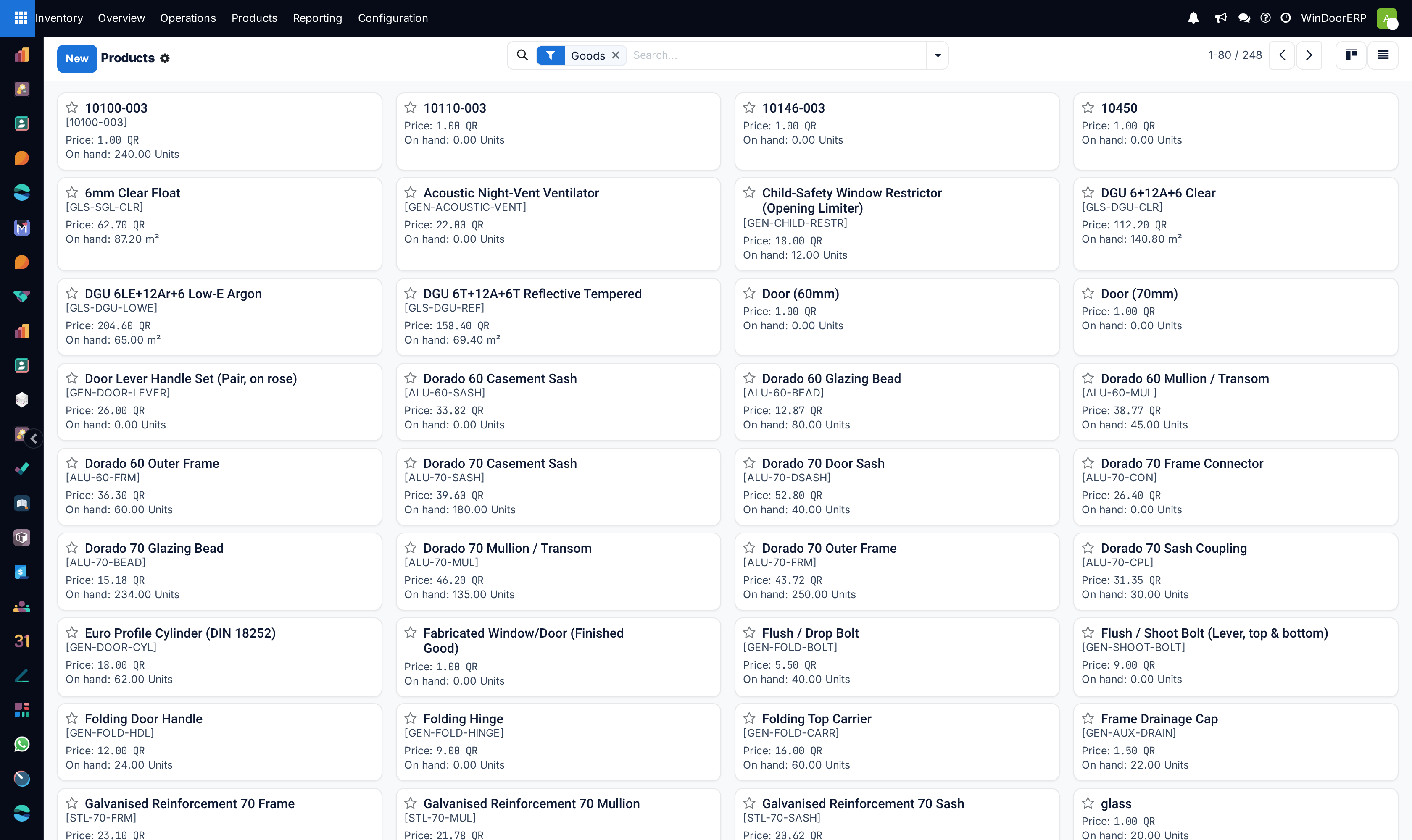
The product catalogue is every item the business buys, stocks, makes or sells — profile, glass, hardware, consumables, and the window designs themselves.
What a product record decides is bigger than its name: whether stock is tracked for it, which unit it is counted in, which category values it, and — on WindoorERP — whether it is designed rather than picked.
Before you start
- Inventory or Sales access to browse; administrator rights to change categories and units.
- Know the category and the unit before creating anything. Both are painful to change once there is stock or history.
- Search before you create. A duplicate product splits stock and cost across two records and nothing warns you.
Steps
-
01
Open Inventory ▸ Products ▸ Products.
-
02
Search first. Try the internal reference and a distinctive word from the name.
-
03
Click New only if it genuinely is not there.
-
04
Set the Product Type, Product Category and Unit.
-
05
Set Sales Price and Cost, and an Internal Reference people will actually search by.
-
06
Save, then check it appears the way you expect on a quotation before rolling it out.
The fields that decide behaviour
| Product Type | Goods, service or combo. It decides whether the item can be stocked at all. |
|---|---|
| Track Inventory | Whether quantities are counted for this product. Off for a service or something consumed without tracking. |
| Product Category | Drives valuation, costing and the accounts the movements post to. See Configure product categories. |
| Unit | How it is counted. Fix it before there is stock; changing it reinterprets history. |
| Sales Price / Cost | What it sells for and what it is valued at. Cost may be maintained by the costing method rather than typed. |
| Internal Reference | Your own code. The most useful search key you have — set it deliberately. |
| Barcode | What a scanner reads. |
| Sales / Purchase | Whether the product may appear on quotations and on purchase orders. |
Design Type — the WindoorERP field
Beyond the standard fields, a WindoorERP product carries a Design Type that decides how it behaves on a quotation.
| None | An ordinary product. Picked from the catalogue and sold as it is — hardware, consumables, a bought-in accessory. |
|---|---|
| Simple Configuration | The product carries a saved design. Adding it to an order line brings that design with it, ready to adjust. |
| Window Designer | The line is drawn in the designer rather than picked. The configuration lives on the order line, not in the catalogue. |
A product with a saved design also stores its Design JSON and a Design Image, which is what appears on the order line and on the printed quotation.
Design Type is set on the product template, and that is the copy that counts. Do not judge it from a variant record.
Keeping the catalogue usable
Duplicates are the real enemy. Two records for the same profile mean stock in two places, two costs and two answers to "how much do we have". Search properly before creating, and give everything an internal reference so searching works.
Archive rather than delete anything that has been bought, sold or stocked. Deleting is refused once there is history, and archiving keeps reports readable.
Do not model every window as a product. Windows are configured on the order line; the catalogue holds the materials they are made from and the designs worth saving.
Troubleshooting
| Stock is not tracked | Track Inventory is off, or the type is not goods. |
|---|---|
| The product does not appear on a quotation | Sales is unticked, or it is archived. |
| Quantities look wrong by a factor | The unit changed after stock existed, so history is being read in the new unit. |
| Two records for the same thing | A duplicate. Merge the usage onto one and archive the other; stock and cost are split until you do. |
| Valuation is not what was expected | That is the category's costing method, not the product. |
| The design does not come through on the order | Check Design Type on the product template rather than on the variant. |
| A product cannot be deleted | It has history. Archive it. |
Common mistakes
- Creating a product without searching, and splitting stock across duplicates.
- Leaving the internal reference blank, so nobody can find anything.
- Changing the unit or category after there is stock.
- Creating a catalogue entry for every window instead of configuring on the order line.
- Deleting instead of archiving, or trying to and assuming the refusal is a fault.
Was this article helpful?
Thanks — your feedback helps.
Running a window or door factory?
Ask for a demo