Work the Orders to Upsell queue: what over-delivery really means here
What this does
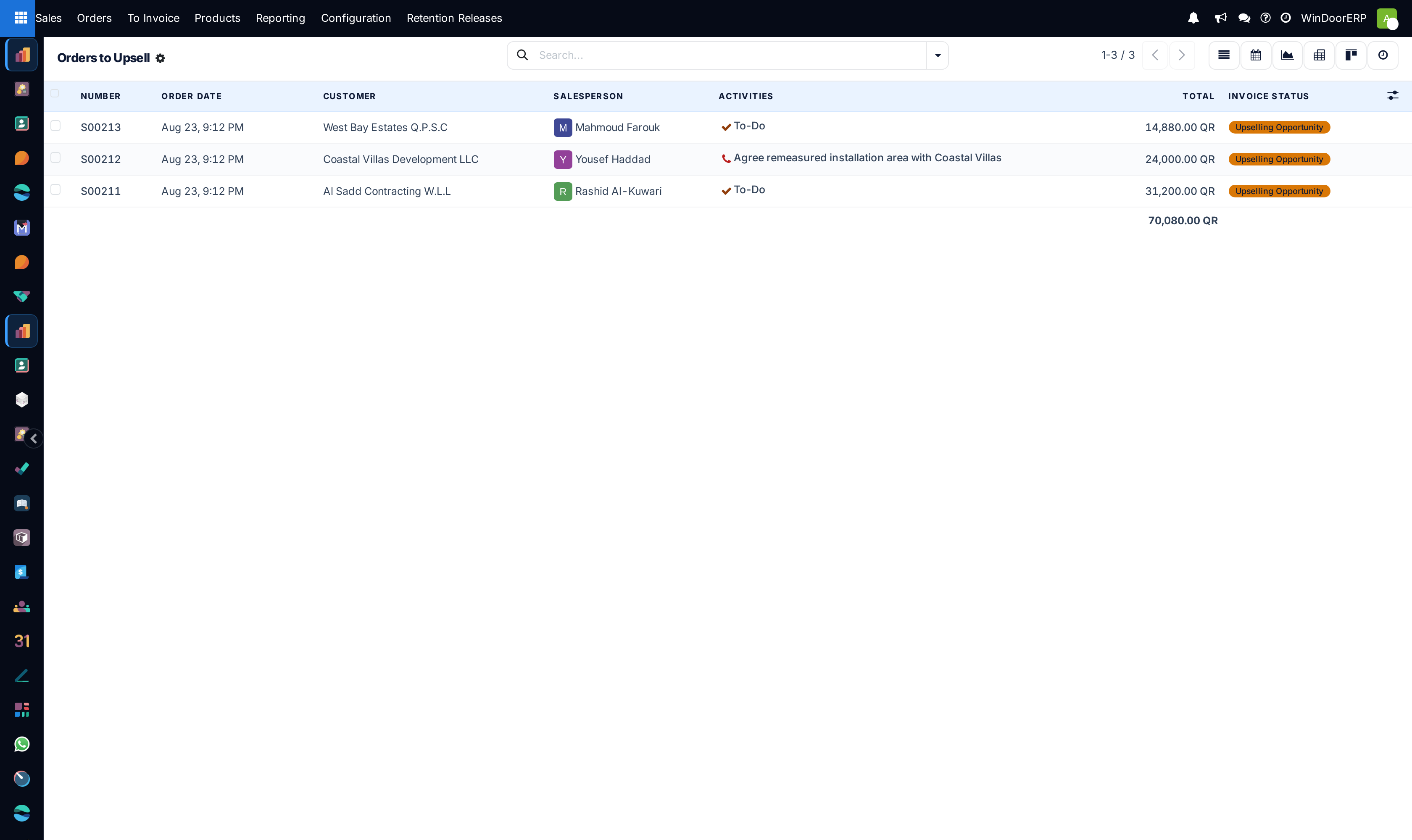
Sales › To Invoice › Orders to Upsell is the second queue on the To Invoice menu, and it answers a narrow question: which confirmed orders have had more delivered than was ordered, on a line the customer was going to be billed for by ordered quantity?
That is a bookkeeping fact, not a sales opportunity, and the distinction is the whole point of this page. An order lands here because someone recorded a delivered quantity above the contracted one. Whether that is extra work worth billing, a data-entry slip, or a deliberate goodwill overrun is exactly what the queue cannot tell you — it is what you come here to find out.
Its twin, Orders to Invoice, holds orders with something still billable on the original scope: read Work the Orders to Invoice queue: what lands there and how to clear it.
Before you start
- You need salesperson access; the To Invoice menu is gated on it.
- Understand that an order can only appear here once it has nothing left to invoice on its ordered quantities. Upsell is what remains after the ordinary billing is finished.
- Nothing in this queue creates a document. Every remedy below is something you do on the order itself.
Steps
-
01
Open Sales › To Invoice › Orders to Upsell. The search bar is empty — the condition lives in the menu's action, so there is no chip and no New button.
-
02
Open an order and go to its lines. Compare Quantity with Delivered; one or more lines will show a delivered figure above the ordered one.
-
03
Work out where the extra came from. On this fleet it is almost always a service line whose delivered quantity was typed by a person — see the section below.
-
04
Choose the remedy: raise a variation order for the extra scope, correct the delivered quantity if it was a mistake, or leave it and accept the overrun.
-
05
The order leaves the queue when no line shows delivered above ordered any more — either because the figure was corrected, or because the ordered quantity was raised to match and then billed.
The exact test
A line is flagged as an upselling opportunity only when all of the following hold at once. Missing any one of them keeps the order out of this queue.
| Condition | Why it matters here |
|---|---|
| The order is confirmed | Quotations never qualify. |
| The line has nothing left to invoice | If it does, the order sits in Orders to Invoice instead. The two queues are mutually exclusive. |
| The product's invoicing policy is Ordered quantities | Almost every product on this fleet is. A product billed on delivered quantities can never produce an upsell — delivering more simply produces more to invoice. |
| Delivered is strictly greater than Quantity | Equal is not enough. |
| The ordered quantity is not negative | Credit-style lines are excluded. |
The order as a whole is badged Upselling Opportunity when every one of its lines is either fully invoiced or upselling. One line still waiting to be billed sends the whole order back to the other queue.
Why this queue finds service lines, not windows
The stock explanation of this screen — that you sold twelve windows and shipped fifteen — does not describe how this fleet works, and following it sends people looking for extra frames that do not exist.
On a fabricated line, the Delivered figure is not written by a warehouse transfer. It is owned by progressive bill-of-quantities billing, and that machinery caps certified progress at the contracted quantity: try to certify past it and the claim refuses with "Total done quantity for '…' would reach … which exceeds the contract quantity of …". A window line therefore cannot cross the threshold this queue tests for. Extra windows on a contract are handled as a variation order, which is its own sales order with its own contracted quantities — so it never shows as an overrun either.
What can cross the threshold is a line whose delivered quantity a person types in: service lines. Every order in this queue on a standard tenant is there because of one — supervision days, installation and fixing, perimeter sealing — where the recorded delivery ran past what was sold.
This queue measures recorded effort, not shipped goods
Read a row here as "somebody logged more work than we sold", and the first question becomes "is that figure right?" rather than "where did the extra units go?". On a day-rate or per-square-metre service line, an overrun of a few percent is usually real work; a large one is usually a unit mix-up.
What to do about one
There are three honest outcomes, and picking one is the job.
| Outcome | How |
|---|---|
| Bill the extra | On a contract, raise a variation order from the main order's BOQ Inv Options tab and put the additional scope on it. That gives the extra work its own contracted quantity, its own certified progress and its own place in the retention arithmetic — which editing the parent's quantities would not. |
| Correct the figure | If the delivered quantity was typed wrong, fix it on the line. The order leaves the queue immediately; nothing else changes, because nothing was invoiced off the wrong number. |
| Accept it | Sometimes the overrun is deliberate — work absorbed rather than charged. There is no "dismiss" action, so the order stays listed. Record the decision in the chatter so the next person does not re-open it. |
Do not simply raise the ordered quantity on a billed contract
Increasing Quantity on a line of a contract that is being billed progressively changes the denominator every previous claim was calculated against. The extra scope belongs on a variation order. On a simple one-off order with no progressive claims, editing the quantity and re-invoicing is fine.
Reading the numbers, carefully
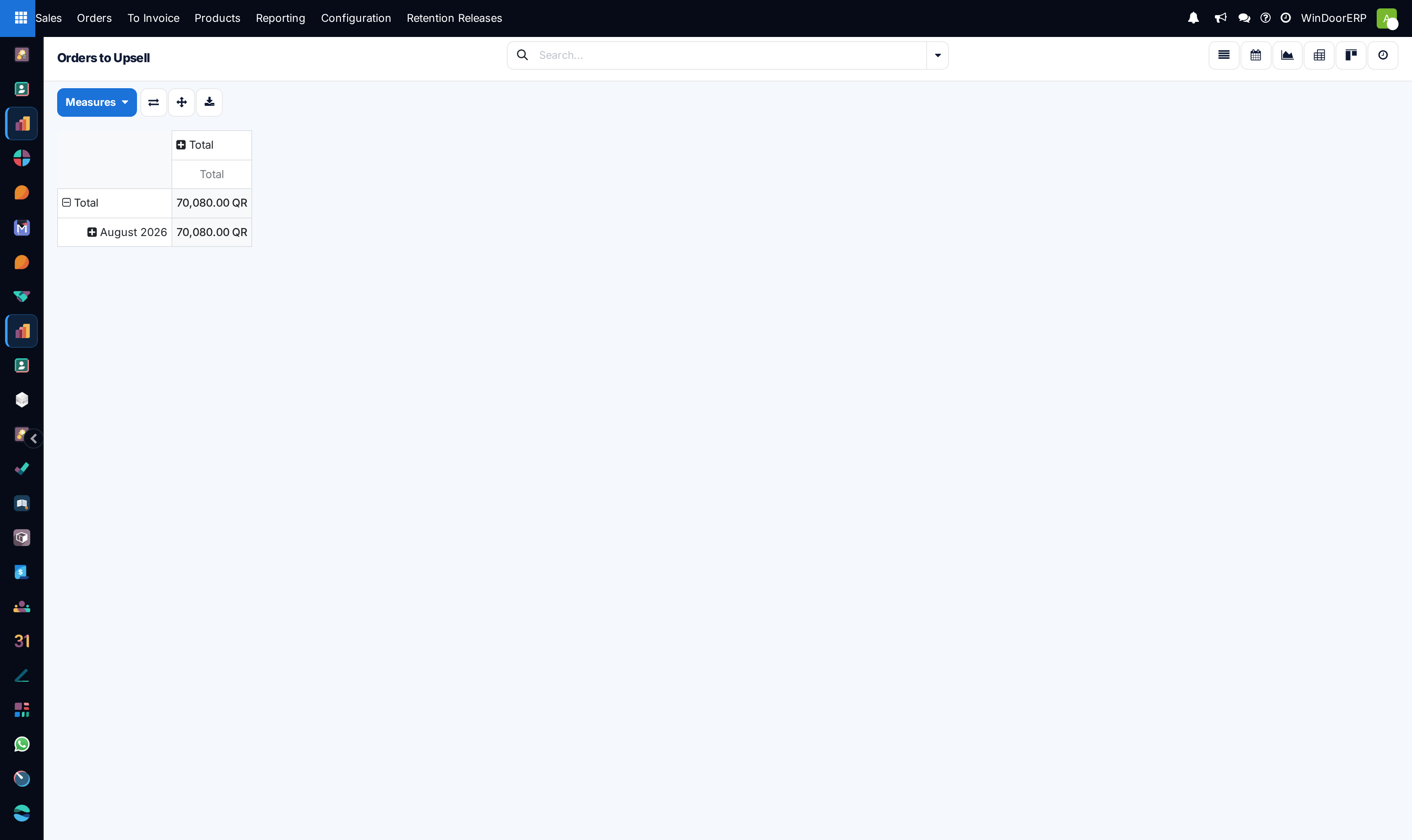
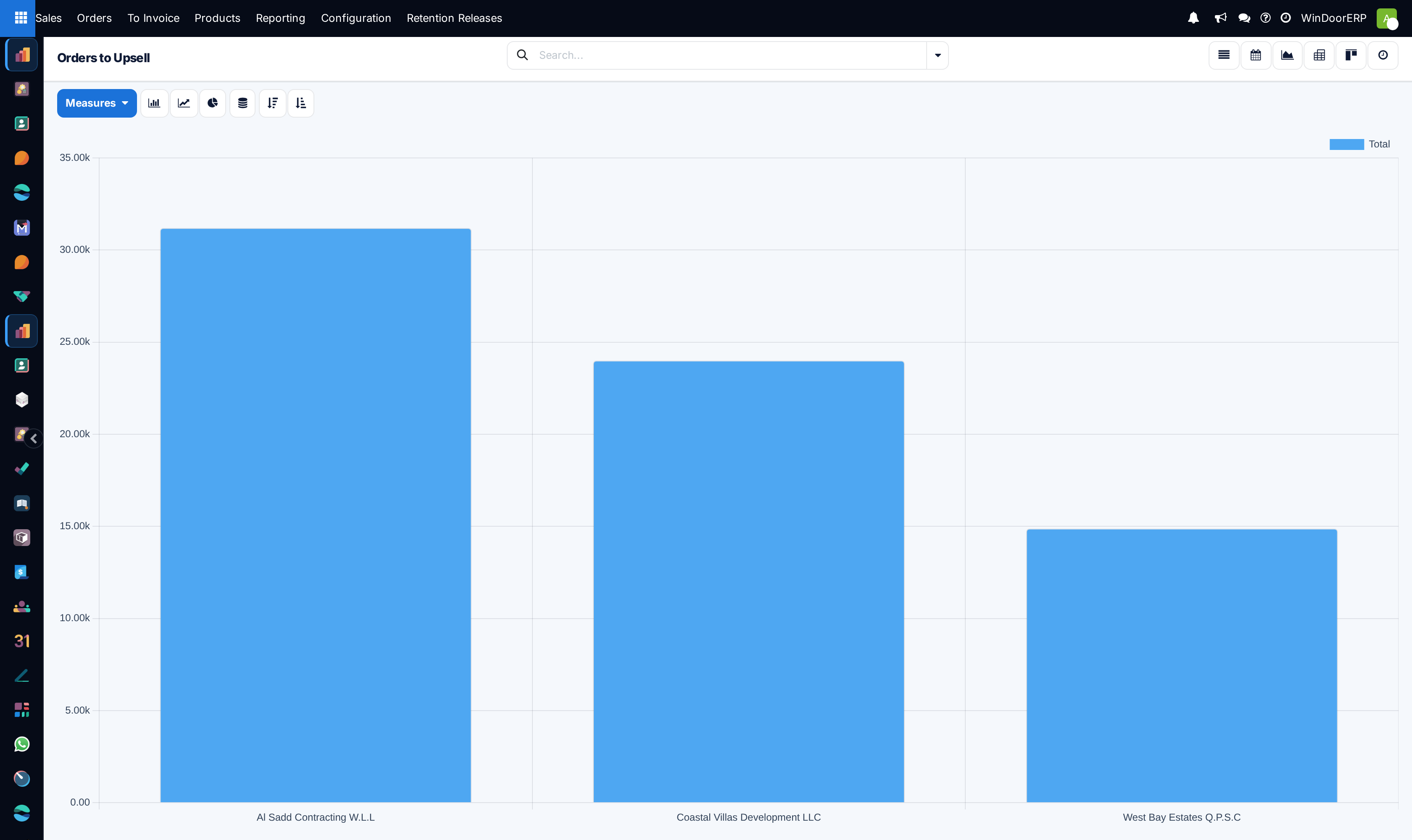
The pivot and the graph both measure Total, and on this screen that measure is misleading in a specific way: it is the whole order's value, tax included — not the value of the overrun. A 31,200 QR bar does not mean 31,200 QR of upsell; it means an order worth 31,200 QR that contains an overrun somewhere, possibly of a few hundred.
The graph groups by Customer, not by time, so it ranks who has overruns rather than showing a trend. Neither view can be made to show the value of the excess, because that figure is a line-level difference the report does not carry. To size an overrun you have to open the order and do the subtraction on the line.
Troubleshooting
| What you see | Why, and what to do |
|---|---|
| The queue is empty | Normal and healthy. Nothing has been over-delivered against an ordered-quantity line. |
| An order is here but every line looks fully invoiced | That is the point — upsell is what is left after invoicing. Compare Delivered against Quantity, not against Invoiced. |
| You expected a window contract here and it is not | It cannot be. Fabricated lines are capped at their contracted quantity by the progress-billing guard; extra windows live on a variation order. |
| You corrected the quantity and the order is still listed | Another line is over too, or you edited the ordered quantity rather than the delivered one. |
| There is no New button and no filter chip | By design, as on the sister queue — the condition is in the menu's action. |
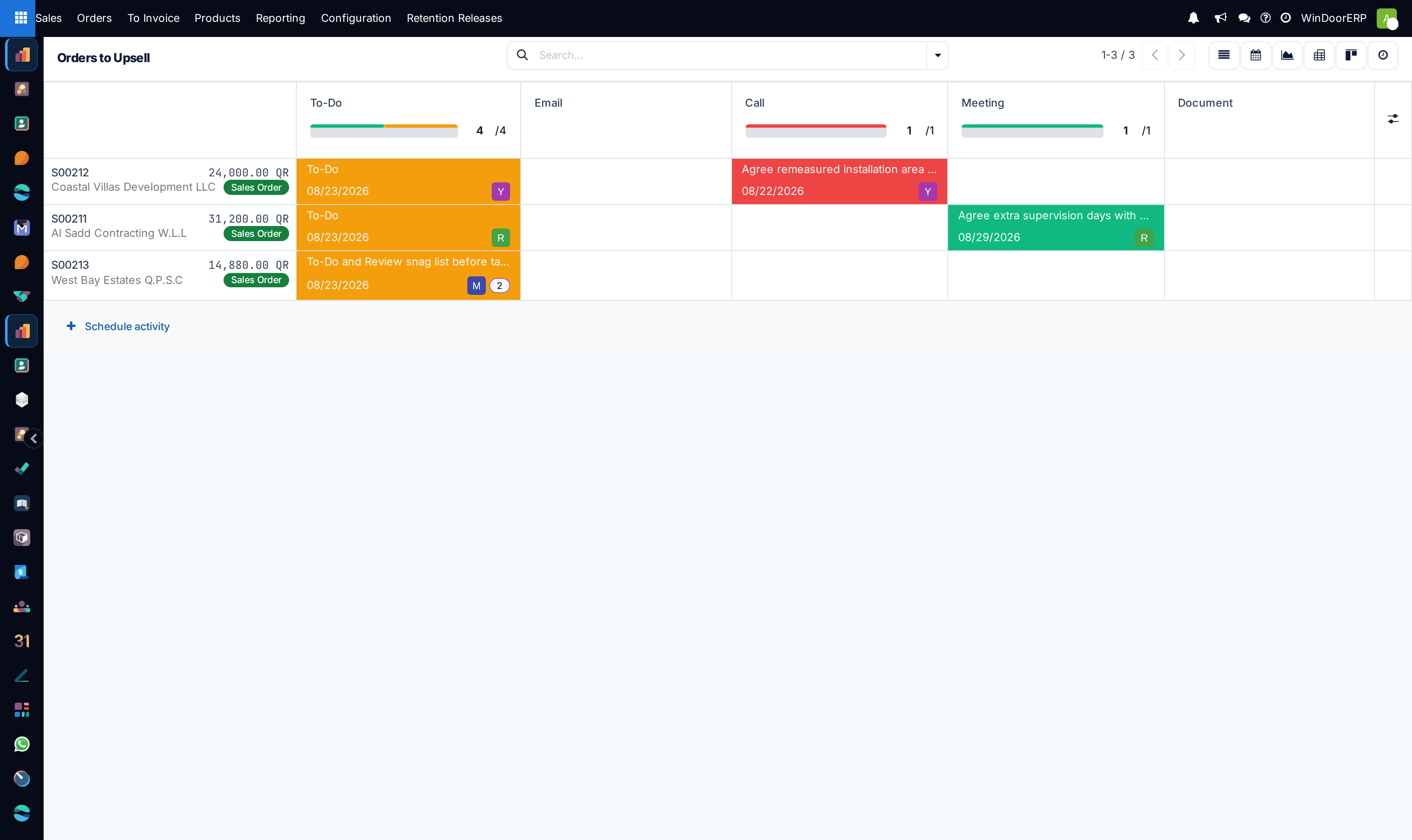
| The activity view shows fewer orders than the list | Expected. It lists only orders with a scheduled activity. |
| The queue total looks like a large opportunity | It is not. It sums whole order values, tax included. |
Common mistakes
- Reporting the queue's Total as an upsell pipeline. It is the value of the orders, not of the excess.
- Looking for extra fabricated units. On this fleet the overrun is a recorded service quantity nearly every time.
- Raising the ordered quantity on a progressively billed contract instead of creating a variation order.
- Treating every row as revenue to chase. Some are typing errors, and correcting one is a legitimate way to clear it.
- Expecting the order to disappear because you invoiced something. Only the delivered-versus-ordered comparison moves an order out of this queue.
Was this article helpful?
Thanks — your feedback helps.
Running a window or door factory?
Ask for a demo