Choose how stock gets replaced
What this does
There are three ways stock gets replaced in WindoorERP, and picking the wrong one is what produces either a yard full of profile nobody ordered or a job stopped waiting for hinges. This topic is the chooser; the next topics in this journey teach each mechanism in detail.
Before you start
- A product only takes part in replenishment when its Product Type is Goods with Track Inventory ticked — otherwise there is no stock level to react to.
- A bought product needs the Purchase checkbox on and at least one vendor on its Purchase tab — replenishment here normally ends in a purchase (or, with several warehouses, an internal transfer), and the vendor at the top of the list is the one used.
The three mechanisms
| Mechanism | What it does | Use it for |
|---|---|---|
| Reordering rule — automatic | Keeps the product between a minimum and a maximum. When the forecast falls to the minimum, an RFQ for the difference is raised on its own. | Shelf stock consumed steadily: hardware, sealant, fixing screws, common gaskets. |
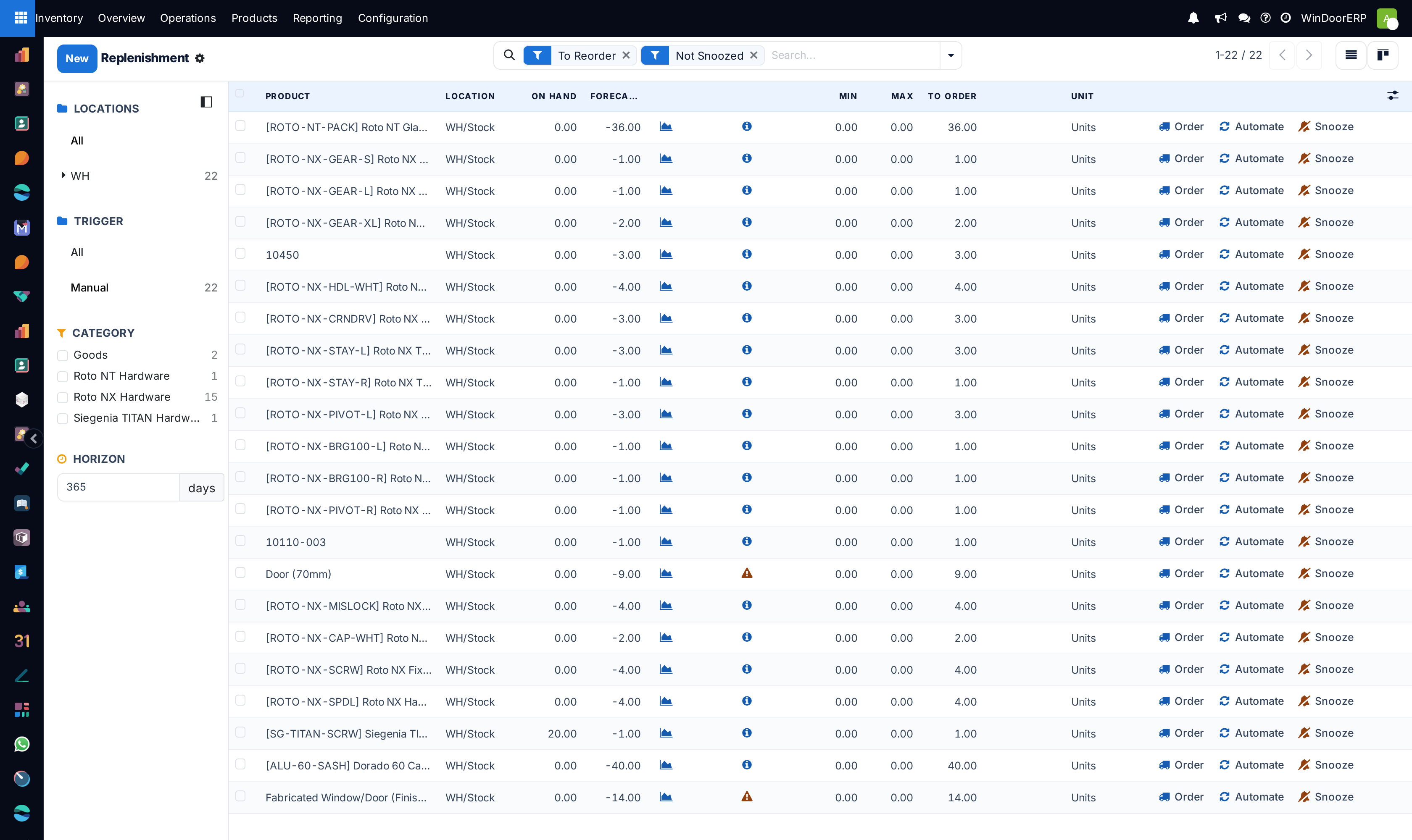
| Reordering rule — manual | The same rule, but the need lands on the replenishment report and waits for a buyer to press Order. | Anything a person should batch, negotiate or sanity-check first: profile lengths, glass panes. |
| Replenish on Order (MTO) | Confirming a customer order is what creates the purchase, and the two documents stay linked both ways. | Items bought for one job: a special colour, non-standard hardware, bought-in cut glass. |
A window company typically runs all three at once — automatic rules on consumables, manual rules on profile and glass, MTO on the specials. What decides is the question: if this arrives and the job is cancelled, do I still want it? Yes — reordering rule. No — MTO.
Steps
-
01
Decide, per product, whether you keep it on the shelf or buy it per job.
-
02
For shelf stock, set a reordering rule with a minimum and a maximum — automatic for consumables, manual where a buyer should look first.
-
03
For per-job items, enable and tick the Replenish on Order (MTO) route on the product.
-
04
Work the Inventory › Operations › Procurement › Replenishment report daily — it is where the manual rules surface, and where the system flags shortages it has no rule for.
How the two differ in behaviour
A reordering rule watches the forecast: it fires when the projected level for the product reaches the minimum, orders the difference up to the maximum, and does not care which customer caused the dip — the arriving stock belongs to whoever needs it. The MTO route watches confirmations: every confirmed order creates its own purchase, even when the shelf is full, and the purchase is reserved for and linked to that sale. That link — a Purchase smart button on the sales order, a Sale smart button on the purchase — is what lets anyone trace material to a job months later.
Made-to-measure windows and doors themselves are not replenished by either mechanism: fabrication is driven by WinDoor Production orders from the sales order. What this journey's machinery buys is the material that production consumes.
Troubleshooting
You expected an order and nothing happened — open the replenishment report and read the line's Forecast against its Min; the rule only fires when the forecast reaches the minimum, and incoming purchases count toward the forecast.
Something was ordered that nobody asked for — a confirmed sale or transfer dropped a forecast below a minimum somewhere. The info icon on the replenishment line explains the numbers behind the suggestion.
The MTO route is nowhere to be found on the product — it ships switched off; enable Replenish on Order (MTO) in the Inventory settings first (covered two topics ahead).
Common mistakes
- Putting reordering rules on made-to-measure items. Every rule you set on a bespoke product is stock you will still own next year.
- Running MTO on generic consumables — every window then buys its own screws, one RFQ at a time.
- Setting minimums from memory instead of from consumption, then blaming the system for the shortage.
Was this article helpful?
Thanks — your feedback helps.
Running a window or door factory?
Ask for a demo