Understand warehouses, locations, and stock
What this does
Explains the two words everything in Inventory is built on. A warehouse is a physical site with an address. A location is a place inside it — a rack of profiles, a glass stillage, the loading bay.
Get these two straight and the rest of the application stops being mysterious: every transfer, every count and every valuation figure is a movement between locations.
Before you start
- Nothing to change anything here. Reading the Locations list needs only Inventory access.
- Storage Locations must be switched on in Inventory ▸ Configuration ▸ Settings for the Locations menu to appear at all.
Steps
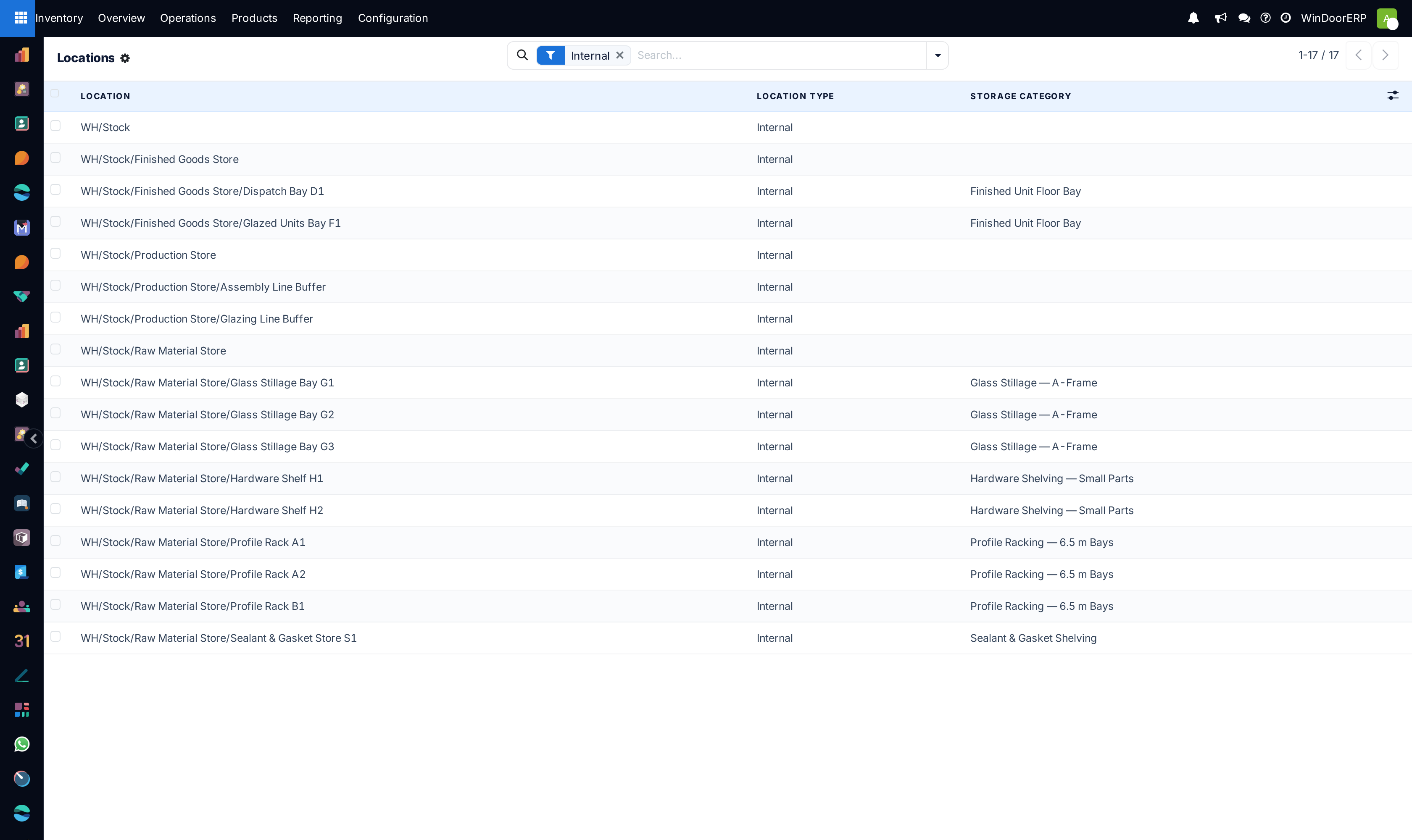
-
01
Open Inventory ▸ Configuration ▸ Locations. By default it shows internal locations only.
-
02
Open any location and look at its Location Type. That one field decides whether the goods there count as your stock.
-
03
Read the hierarchy in the name:
WH/Stock/Zone A/Rack 3is rack 3, inside zone A, inside the stock of warehouse WH. -
04
Clear the Internal filter to see the rest — the virtual locations the system moves goods to when they leave your hands.
Every location type, and what it means
Only one of these holds stock you own. The others exist so that every movement has somewhere to come from and somewhere to go.
| Internal | Your stock. Racks, zones, bays. Only quantities in internal locations are on hand, valued, and available to sell. |
|---|---|
| Vendor | Where goods conceptually come from when you receive them. A receipt is a move from Vendor into Internal. |
| Customer | Where goods go when you deliver. A delivery is a move from Internal into Customer. |
| Inventory Loss | The counterparty for stock adjustments. A count difference is posted as a move to or from here, which is why an adjustment has a date, an author and a value. |
| Production | The counterparty for manufacturing: components move into Production, finished goods move out of it. |
| Transit | Goods that have left one warehouse and not yet arrived at another. They are still yours while in transit. |
| Virtual | A grouping only — a heading in the tree that never holds quantities itself. WH/Stock's parent is one of these. |
Nothing is ever created or destroyed: every move has a source and a destination. That is why stock cannot simply be edited, and why the reason for a change is always recoverable.
Reading the hierarchy
Locations form a tree, and the name shows the whole path. WH/Stock is the stock of warehouse WH; WH/Stock/Zone A is a zone inside it; WH/Stock/Zone A/Rack 3 is a rack inside that.
A quantity sits at exactly one location — the deepest one. Asking for the stock of WH/Stock adds up everything beneath it, which is how a total and its breakdown stay consistent.
Depth costs discipline. Every level is a place someone must put things and later find them; two well-kept zones beat twenty racks nobody updates.
What a warehouse owns
Creating a warehouse creates more than a name. It gets its own stock location, its own operation types, and — depending on how goods come in and go out — input, quality control, packing and output locations.
That is why the number of receipt and delivery steps is a warehouse setting rather than a preference: changing it creates and retires the locations and operation types underneath.
Troubleshooting
| There is no Locations menu | Storage Locations is off in Inventory settings. |
|---|---|
| A location shows no stock | Its type is not Internal, or the quantity sits on a child location and you are looking at a leaf rather than the parent. |
| Stock appears in a place nobody put it | Read the moves. Virtual locations are counterparties, not shelves — goods "in" Vendor or Customer are not physically anywhere. |
| Totals do not match the racks | Add up children as well as the parent, and check whether any quantity is reserved rather than missing. |
| Two warehouses show the same location names | Expected. The short code in front — WH/ — is what distinguishes them. |
| A location cannot be deleted | It has stock or history. Archive it instead; deleting would break the moves that reference it. |
Common mistakes
- Treating Vendor and Customer as places goods sit. They are the other end of a move, nothing more.
- Building a rack-level hierarchy nobody maintains, then not trusting any of it.
- Expecting to edit a quantity directly. Stock changes through moves, which is what makes it auditable.
- Reading a parent location's total and assuming it excludes the children.
- Creating a second warehouse for a different room in the same building. Use locations for that; a warehouse is a site with an address.
Was this article helpful?
Thanks — your feedback helps.
Running a window or door factory?
Ask for a demo