Understand automatic hardware selection
What this does
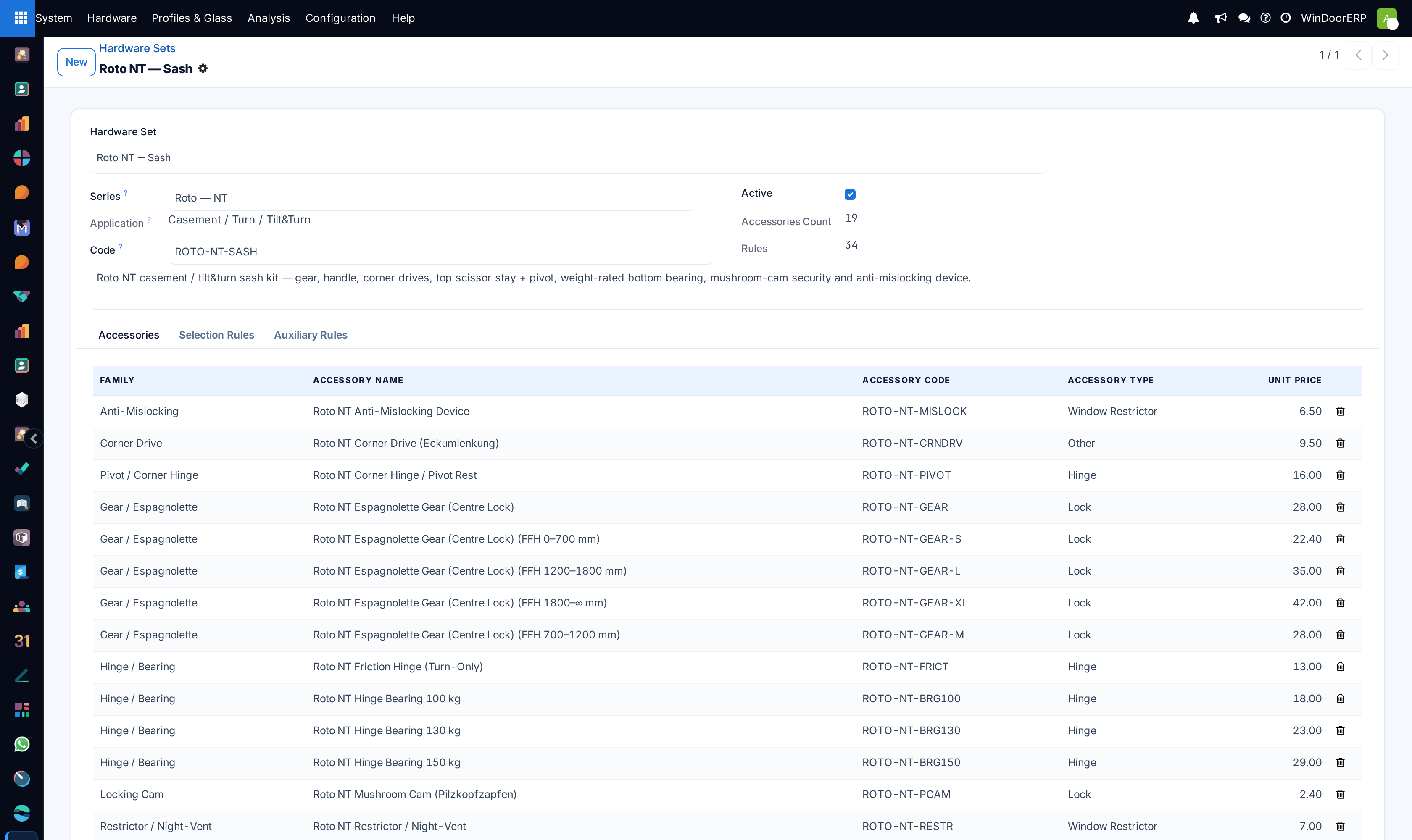
Explains how WindoorERP picks the hardware for each sash by itself — which handle, hinges, locking points and accessories a panel gets, based on what that panel actually is.
Nobody chooses hardware sash by sash. A rule set is maintained once in the back office, and the design analysis applies it to every sash in every job.
Before you start
- Nothing, to understand it. Changing the rules needs administrator access to the hardware configuration.
- The design drawn and its sashes set, since selection is driven by each sash's size, weight, opening and handing.
- Know that the rules are per brand and series — a job specified in one manufacturer's hardware uses that manufacturer's rules.
Steps
-
01
Draw the design and set each sash's opening type and handing.
-
02
Save and run the design analysis.
-
03
Read the accessories the analysis produced, sash by sash.
-
04
If something is wrong, correct the rule in the back office rather than the result — the result is regenerated on every analysis.
-
05
Re-run the analysis and confirm the selection changed as intended.
How the selection is structured
| Brand | The hardware manufacturer. |
|---|---|
| Series | A range within that brand, tied to an application — hinged, sliding, folding. This is what a design resolves against for its own opening family. |
| Hardware Set | The collection of rules that decides what a sash receives. |
| Rule | One line: if a sash matches these conditions, add this item, this many. |
Sash type is a condition on a rule, not a level of its own. One set covers every sash type in its series, and each rule says which sashes it applies to.
What a rule can test
| Size | Minimum and maximum width, height and area. This is how a bigger sash gets a heavier hinge. |
|---|---|
| Weight | Minimum and maximum sash weight — the usual driver for hinge and stay selection. |
| Opening family and mode | Which opening type the rule applies to, and how the sash operates. |
| Handing and opening direction | Whether the rule applies to a left or right hung sash, and which way it opens. |
| Sash family | Whether the panel is a window sash or a door leaf. |
| Features | Multi-lock points, anti-theft, water baffle, guard, pass-through door — the specification options a job may carry. |
| Security class | A minimum rating the hardware must meet. |
| Role / slot | What the item is for — handle, hinge, lock — so a sash gets one of each rather than several handles. |
| Quantity and quantity mode | A fixed count, a count taken from the design, or a per-metre calculation for things like weatherstrip. |
| Handed variant | Whether to substitute the left- or right-handed version of the item. |
| Sequence | The order rules are evaluated in. |
Why the result is not editable
The accessories on an analysis are generated, not stored decisions. Re-running the analysis regenerates them, so anything typed over the result is lost at the next run.
That is deliberate: it means a thousand sashes are specified consistently, and a corrected rule fixes every future job rather than one line. It also means the fix for a wrong item is always upstream.
When the selection is wrong, ask which rule matched and why. The answer is nearly always a range boundary — a sash just over a weight limit, or just under an area threshold.
Troubleshooting
| A sash got no hardware | No rule matched it. Check the ranges against that sash's actual width, height, area and weight. |
|---|---|
| A sash got two handles | Two rules match the same role. Narrow one range, or fix the sequence. |
| The wrong hinge on a heavy sash | A weight boundary. The sash sits on the wrong side of a minimum or maximum. |
| My correction disappeared | You edited the analysis result. Correct the rule instead. |
| Nothing at all was selected | No series resolved for that opening family, or the design has no brand and series set. |
| A left-hand sash got a right-hand item | The rule's handing condition, or the handed-variant setting on it. |
| Quantities look wrong on long items | The rule uses a per-metre basis; check what it measures against. |
Common mistakes
- Editing the analysis result instead of the rule, and losing it at the next run.
- Assuming no hardware means a fault. It usually means no rule matched.
- Writing rules with overlapping ranges, so two items compete for one slot.
- Setting a rule with no upper bound, so it captures every sash above the minimum.
- Expecting the designer to choose hardware. Selection happens in the analysis, not on the canvas.
Was this article helpful?
Thanks — your feedback helps.
Running a window or door factory?
Ask for a demo