Decide how cost is calculated
Land the freight and the duty
Why this step
A container of profile carries sea freight, duty, clearing and inland haulage, and none of it is on the supplier invoice. Landed costs push those onto the material itself, so the cost you cost a window at is the cost it truly arrived at.
What this does
A container of profile costs more than the invoice from the mill: there is freight, insurance, customs and handling. WindoorERP's Landed Costs feature exists to spread such charges over the goods that incurred them — but it is not enabled on this platform. The module behind it is not installed, so there is no Landed Costs document, no split methods, and no landed-cost flag on products. This article tells you what to do about freight and duty as the system stands, and what enabling the feature would add.
Before you start
- Know your costing method. Every category here runs Standard Price — and under standard costing, purchase-side charges never flow into product value automatically, landed costs or not. The value story is the Cost field you maintain.
- Enabling the feature is an administrator decision with accounting: the switch installs a module and changes how receipts can be revalued.
Steps
-
01
Book the freight or customs invoice as what it is — a vendor bill on the appropriate expense account. Under this platform's periodic, standard-cost setup that is also where the cost stays for accounting purposes.
-
02
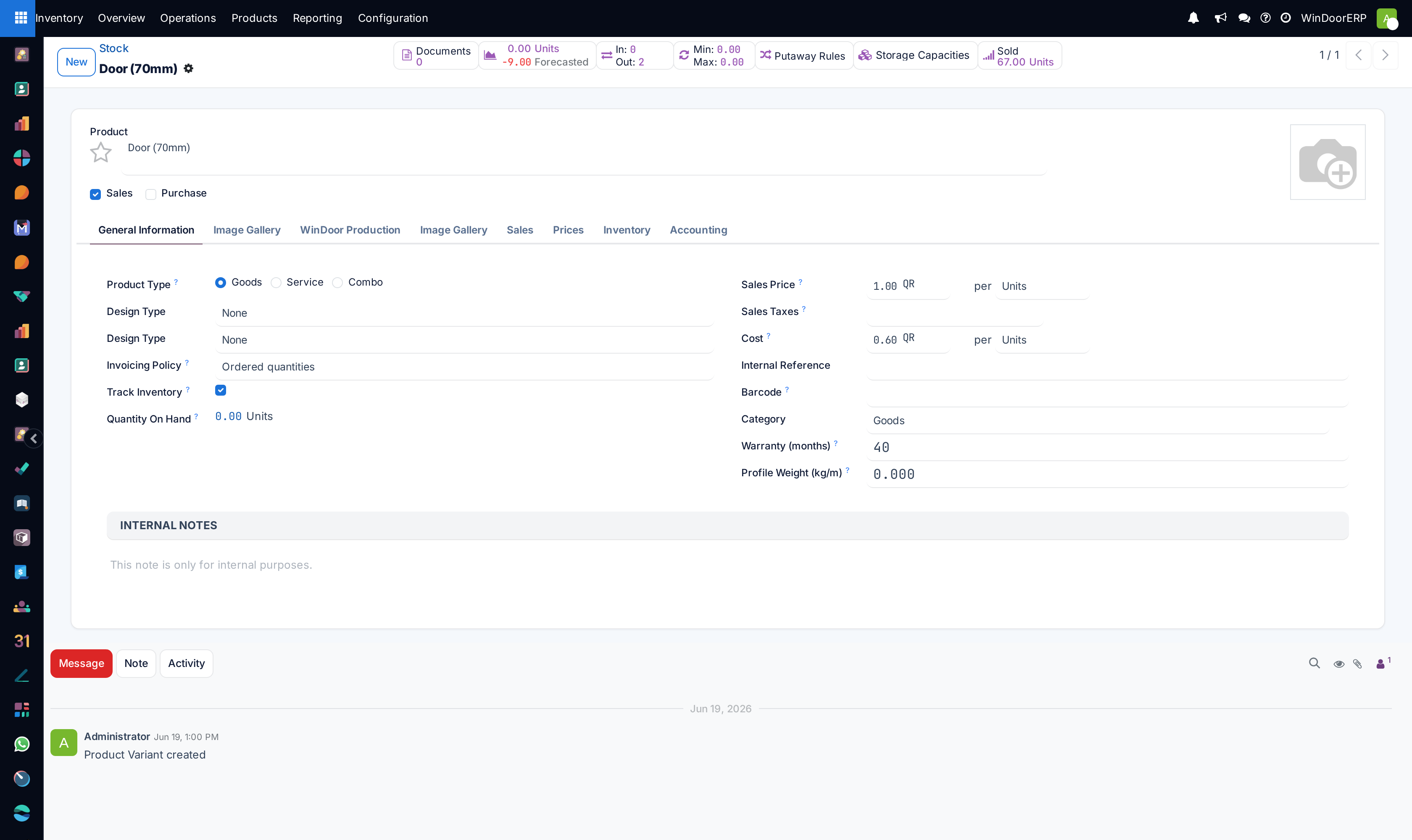
If a charge should be reflected in what the product is worth, fold it into the product's Cost: open the product, adjust Cost to the landed figure (purchase price plus the per-unit share of freight and duty).
-
03
Every Cost change is history-logged automatically — "Price update from … to … by …" — and you read that log in Reporting › Stock by clicking the product's Unit Cost to open its Unit Cost History.
-
04
Alternatively, negotiate the goods price to include delivery (DDP terms): the purchase-order line price then already carries the freight, and no adjustment is needed.
What the Landed Costs feature would add
Switched on, the feature installs a Landed Costs document type under Inventory › Operations › Adjustments: you create one, point it at the receipts concerned, add cost lines (a freight service product flagged Is a Landed Cost, split equally or by quantity, current cost, weight or volume), press Compute to see the split per product, and validate to adjust the received goods' valuation. Vendor bills can also flag lines as landed costs directly.
One consequence matters more than all of that here: landed costs are refused on standard-costed products — "You cannot apply landed costs on the chosen … Landed costs can only be applied for products with FIFO or average costing method." Since every category on this platform is Standard Price, ticking the Settings checkbox alone would buy nothing; the costing-method decision has to come first.
Note
The enabler is the one checkbox in Inventory › Configuration › Settings, section Valuation: Landed Costs — "Add additional cost (transport, customs, ...) in the value of the product." Ticking it installs the module; talk to your administrator and accountant before doing so.
Troubleshooting
| There is no Landed Costs menu under Operations › Adjustments | Correct — the module is not installed on this platform. The menu appears only after the Settings checkbox installs it. |
|---|---|
| "Is a Landed Cost" is missing on service products | Same reason — the field ships with the module. |
| Freight was billed but product values did not move | As designed here: bills post to expenses; under Standard costing the product Cost changes only when someone edits it. |
| Who is allowed to change Cost? | Anyone who can edit the product form; the list view's Cost column is deliberately read-only. Each change is logged with user and old/new value. |
Common mistakes
- Following generic instructions to "enable Landed Costs and create a landed-cost document" and concluding the system is broken when the menu is absent — the feature is simply not part of this installation.
- Adjusting Cost for one shipment's freight and forgetting to revert or re-average later — under Standard Price the number you set is the number every future move uses.
- Splitting freight across products by feel. If the amounts matter, compute the per-unit share outside and document it in the Cost change; if they matter often, that is the argument for enabling the feature properly.
- Expecting the freight bill itself to touch inventory value. On this platform's periodic valuation, no bill and no stock move posts inventory value — accounting values stock at closing.
Checkpoint
The cost of a received profile includes its share of freight and duty, not just the supplier price.